Study from what you already have.
Attach bounded text or a supported photo and ask for a study guide, revision plan, explanation, or checklist.
 DevDeskWork your way. Keep your files.
DevDesk brings everyday planning, connected knowledge, study and research, writing, APIs, project tools, Git, AI-assisted workflows, Docker and Kubernetes into one local-first workspace. Start simple; use deeper technical controls only when you need them.
Platform note: DevDesk is available for Windows and Android. Desktop-only runtime features such as local Docker and kubectl require a supported desktop environment. An AI provider or paid entitlement is not automatically included.

The same approachable AI surface can help a student, a busy person, a writer, or a software team. Start with ordinary work; unlock project-grade controls only when the task needs them.
Attach bounded text or a supported photo and ask for a study guide, revision plan, explanation, or checklist.
Local Once, Daily, Weekdays, and Weekly routines create a notification and wait for you to continue.
Prepare emails, messages, summaries, and social copy. You review and send them in the destination app yourself.
Review code changes, run bounded verification on Windows, use isolated worktrees, and recover safely when needed.
Clear boundary for 1.2: DevDesk does not read WhatsApp, Facebook, or other apps' notifications, and it does not reply or post for you. Native OS widgets are not included in this release candidate.
Students can turn material into structured work. Researchers can connect notes and sources. Professionals can organize projects and decisions. Creators can plan and draft. Developers can continue into APIs, Git, agents, verification, Docker and Kubernetes—all without changing products.
Learn, collect research, connect ideas, plan projects, organize notes and draft useful work in plain language. Technical knowledge is optional, not the entry requirement.
Keep docs, code context, API work, Git, and agent-assisted changes around the selected workspace instead of scattering them across tools.
The standalone DevDesk CLI brings files, knowledge, API tests, local data, and operations to your shell. Explore the complete command reference checked against DevDesk CLI 1.2.6+21, with examples and options for all 86 top-level usage lines.
Create folders and files, inspect and search a project, read Git status, compare files or folders, and query Markdown headings, metadata, links, backlinks, graph issues, and paths.
Send HTTP requests, run saved API collections with environment and report options, validate OpenAPI, and use JSON, Base64, URL, regex, UUID, timestamp, and JWT utilities.
Manage workspace manifests, snippets, notes, settings, and backup files. Preview a restore before applying it, or use a separate data directory for an isolated profile.
Check runtimes, inspect containers and Kubernetes workloads, read logs, and use ADB device lists, screenshots, UI inspection, and logcat. Docker lifecycle actions and ADB controls require explicit confirmation flags.
Inspect providers, plan an explicit prompt, run AI with consent, view saved agents and activity, schedule graph-health automation, and manage review-first routines from your terminal.
Inspect verification plans, run selected checks, set process timeouts, generate shell completion, export diagnostics, and use JSON output and documented exit codes in scripts.
DevDesk combines beginner-friendly applications and wizards with the raw resources advanced users still need. Runtime Doctor, deterministic Kubernetes troubleshooting, Compatibility Packs, RBAC/context guards and a shared operation engine make the GUI easier to use without hiding the underlying runtime.
See Compose projects as logical apps, keep standalone containers separate, and use one canonical Create Container wizard with Simple and Advanced paths.
Correlate workloads, Pods, Services, Ingress, configuration metadata and Warning events, then open Describe, logs, rollout, restart, scale or terminal actions from deterministic findings.
Use guided kind/minikube cluster creation and a visual Deploy App builder, while generated YAML, dry-run, diff, Apply and rollout verification remain reviewable.
Import validated JSON/YAML Compatibility Packs for version rules, warnings, disables and bounded aliases—never arbitrary shell or PowerShell execution.
Guarded Kubernetes actions verify the selected identity and run read-only authorization preflight instead of relying on a stale screen selection.
Conflicting mutations are coordinated centrally, durable history stays redacted, and interrupted operations are recovered instead of appearing permanently active.
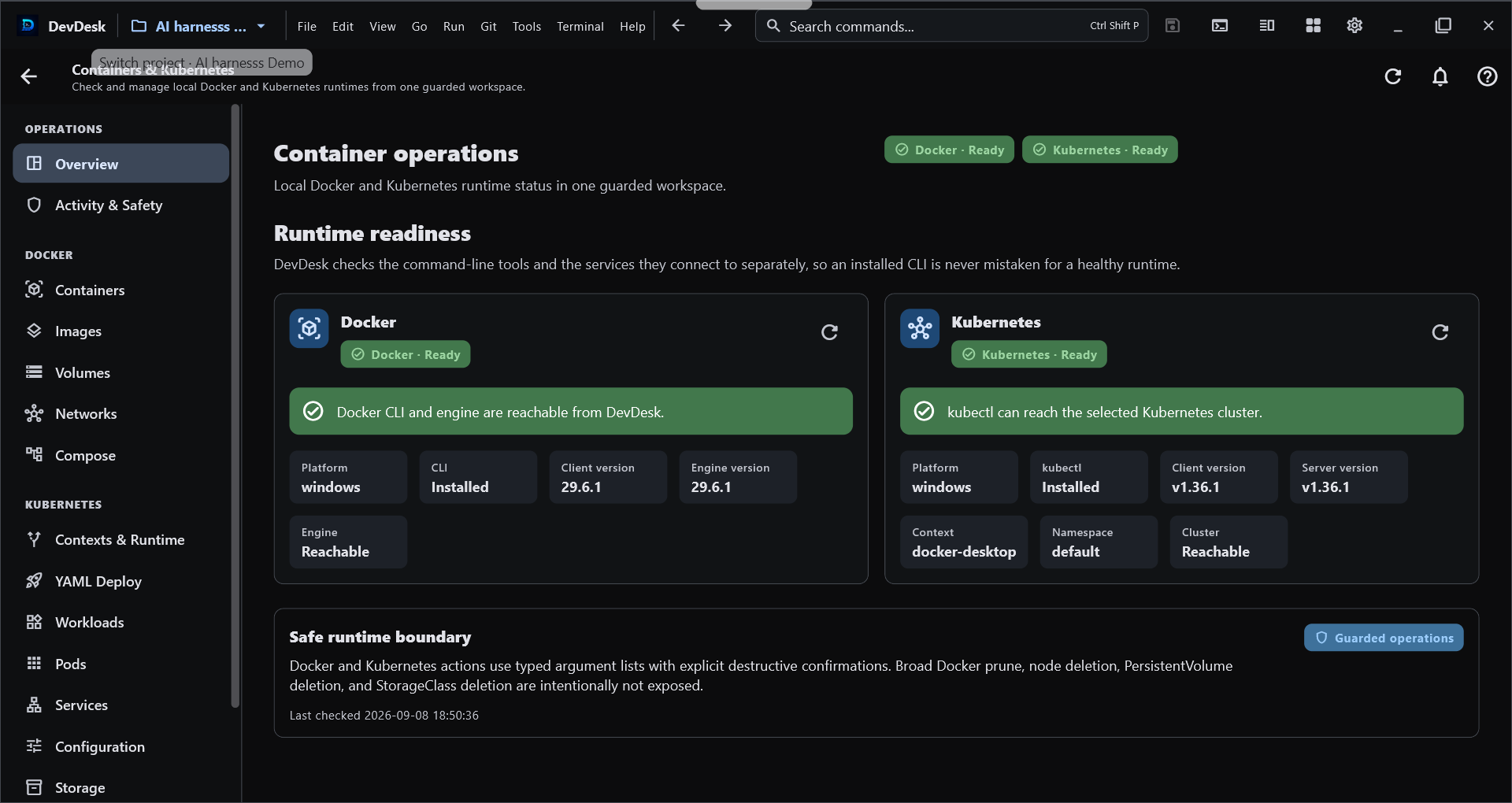
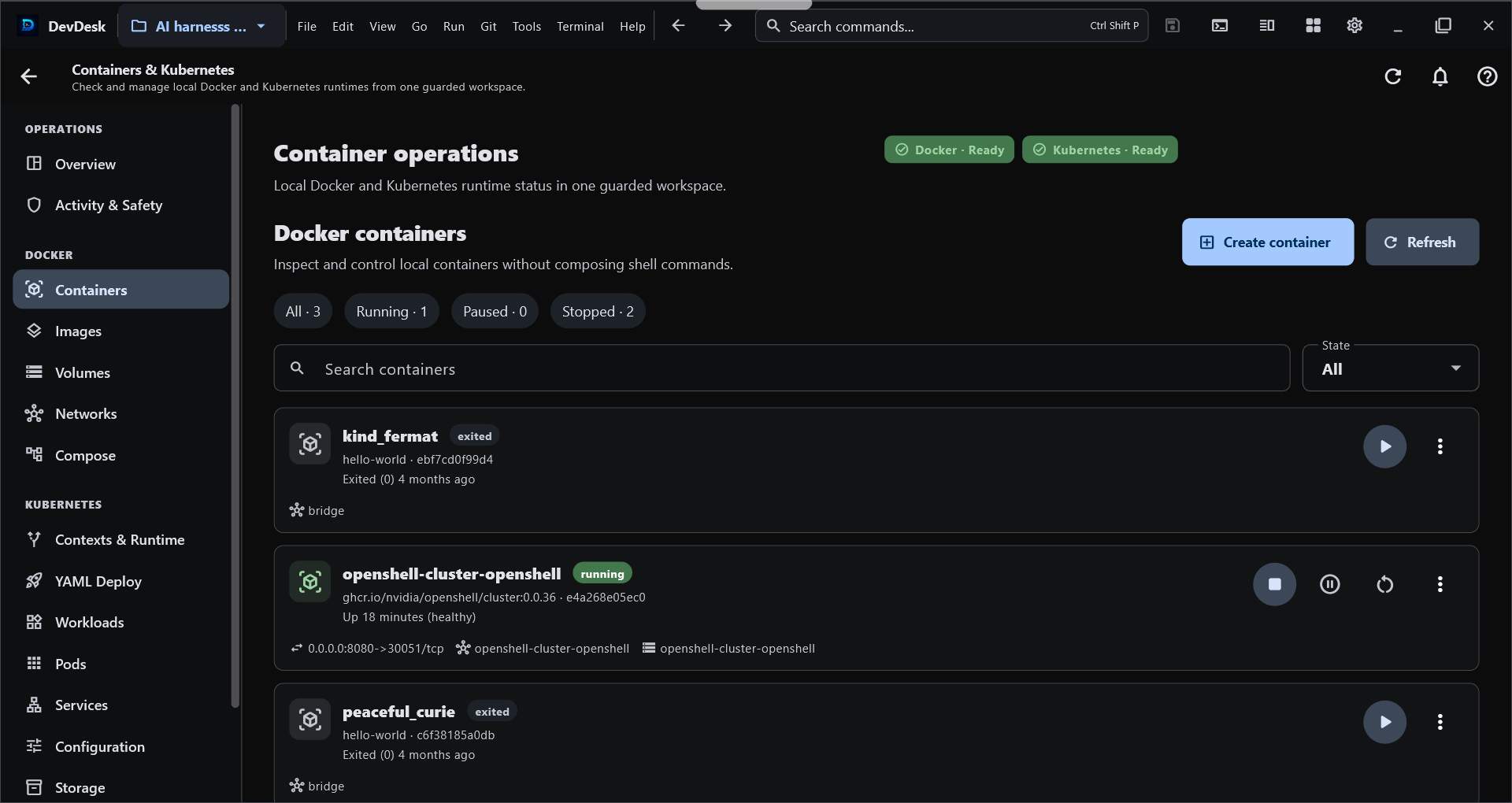
Real DevDesk interface. These captures show selected runtime/container surfaces; the updated manual also covers Applications, cluster creation, Deploy App, Compatibility, guided troubleshooting, RBAC guards and unified operations.
Desktop runtime: local Docker and kubectl operations require a supported desktop runtime. Android can share the product experience and entitlement, but this release does not advertise a remote container runtime.
DevDesk keeps ordinary project files as the source of truth, then gives them useful views, relationships, portability, and optional specialist tools. You can begin without learning Markdown, Git, JSON, or AI.
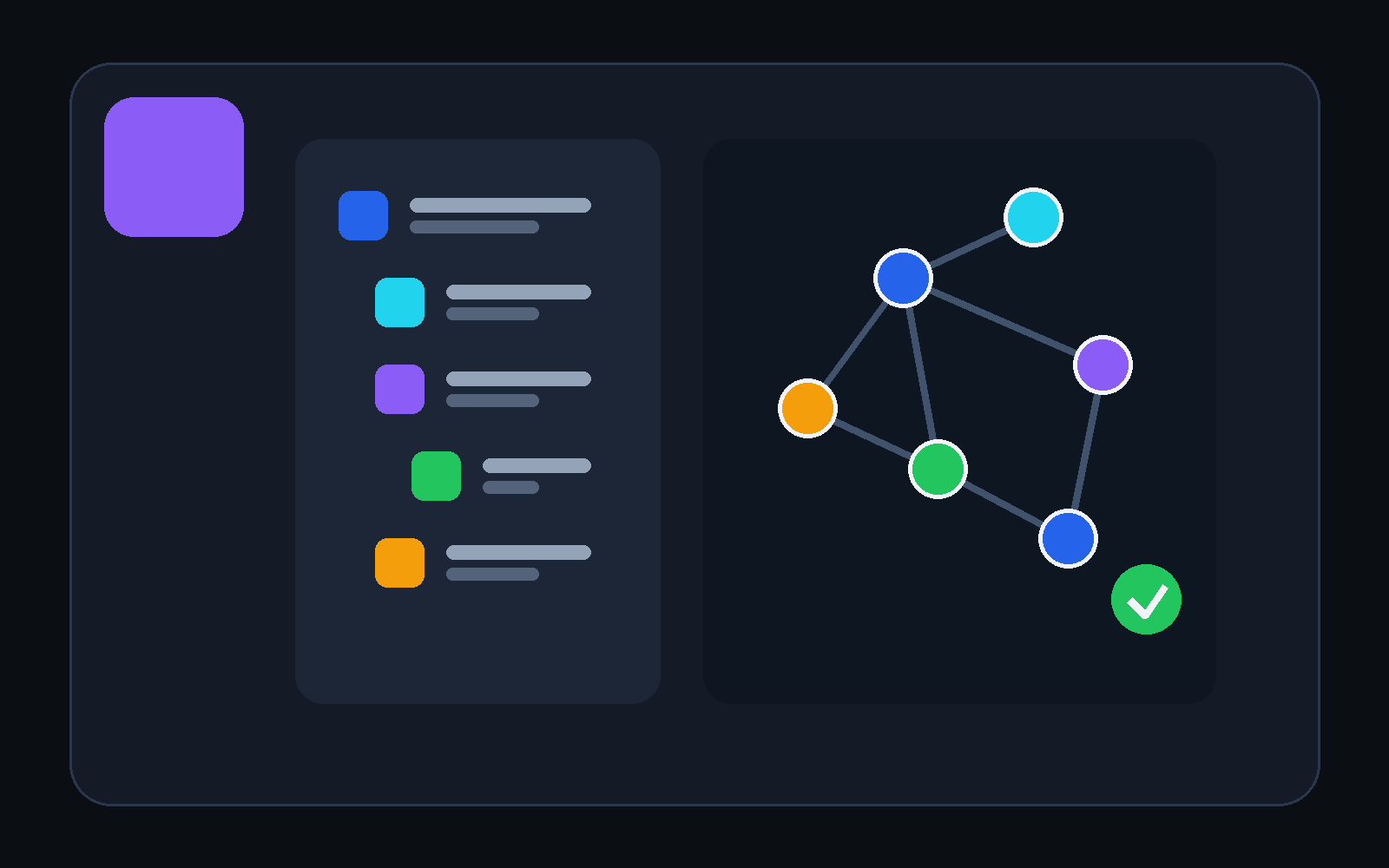
See the same task, note, goal, meeting, or decision as a list, table, cards, board, calendar, timeline, outline, map, or relationship.
Your content stays in the folder you chose. Open it in another editor, back it up normally, and share only the files you approve.
Add connected Markdown, portable Visual Canvas, JSON, OpenAPI, saved API testing, OKF checks, Diff, and workspace-scoped Git as needed.
AI can prepare something useful. DevDesk also gives that output a place to live, a way to connect, a schedule, project context, and safety controls—so the work can continue after the chat ends.
Tasks, goals, meetings, assignments, and decisions across Today, List, Board, Calendar, and Timeline.
For everyday clarityNotes, backlinks, Relationships, Knowledge Graph, Visual Canvas, and Diagram Studio keep ideas understandable.
For learning and researchUse the AI Harness with bounded files and supported photos for plans, explanations, summaries, and drafts.
For useful first versionsA local Notification Center and review-first Once, Daily, Weekdays, or Weekly routines surface the next step.
For steady progressMarkdown, JSON, OpenAPI, API testing, Diff, Git, code proposals, terminals, Docker, Kubernetes, worktrees, and Browser Agent.
For serious projectsOrdinary files remain canonical. Copy, back up, clone, reopen, and grant sensitive permissions only when needed.
For lasting controlApp-matched HTML previews show the real DevDesk layout without using a private project screenshot. Open any card for the exact workflow, platform behavior, and safety boundary.
Five tabs stay visible. Every additional file or tool remains in the numbered hidden-tab menu.
Tour the workspace workbenchLocal or Workspace scope, filters, groups, timeline replay, display controls, and dynamic spacing.
Understand the knowledge graphSearch shapes, connect ideas, use templates or auto layout, then export PNG or SVG.
Open the Diagram Studio guideCollections, environments, checks, responses, and protected values stay organized around the selected project.
Explore API StudioPreview a new workspace, or open an existing folder without writes. Add portable identity only when you choose it.
DevDesk derives views and relationships. Safe project writes stay reviewable, bounded, and conflict-aware.
Open project.devdesk. Local registration and indexes
are rebuilt; protected values and trust stay device-local.
| When your work changes | What DevDesk adds | What remains the source of truth |
|---|---|---|
| A task needs a deadline | Calendar or Timeline can show it | The same task file |
| Notes begin to connect | Relationships and Graph can follow saved links | The same Markdown files |
| A project becomes technical | JSON, OpenAPI, API, Diff, and scoped Git tools become useful | The selected project folder |
| You move to another device | DevDesk rebuilds local registration and indexes | The copied or cloned folder and project.devdesk |
Views are derived from the same workspace content. DevDesk does not create a second cloud copy of the project behind your back.
Read-only indexes can rebuild automatically. Project writes use Manual, Review changes, or bounded Safe automatic mode. Secrets, cookies, execution trust, recents, and personal layout do not belong in portable project files.
Existing paths and external file changes are preserved and reported.
Your selected folder remains the home of the project. Network tools act only when you use them.
Opening a folder does not run Git, scripts, terminals, or project commands. Bounded execution needs a separate local decision.
Select the workspace, inspect every proposed write, verify on Windows, and isolate parallel workers in Git worktrees. The optional Edge Browser Agent and MCP Agent Connector remain behind exact permissions, so project context never becomes blanket authority.
DevDesk does not include an AI provider or subscription.
The static DevDesk Support Assistant runs entirely in this website and is ready for GitHub Pages. It searches the published manual, quotes relevant guidance, and links every answer to its source page. No account, API key, or hosted AI service is used.
Watch Codex follow a DevDesk knowledge graph from one task to the relevant brief, architecture, source, and tests. Then download the exact starter workspace and reproduce the review-before-write flow on your own device.
Choose the starter that feels closest, then make it yours. Windows and Android are available now.